
FirstCare buying journal
Multi-Site First Aid Kit Orders: UAE & GCC Packing Guide
Plan bulk first aid kit deliveries across UAE and GCC sites. Use a free allocation worksheet to match approved kits, cartons and quantities to each destination.
By FirstCare First Aid · Published · Updated
The short answer
For a multi-site first aid kit order, assign each approved supply line to a destination and station before dispatch. Link the carton and shipment references to that allocation, then compare planned and accepted quantities at each destination. A correct overall delivery total can still hide a shortage at one branch and excess stock at another.
Start with the approved station plan
Ask the responsible team at each workplace to approve its station locations, inventory and supply quantities. Central purchasing can group orders while keeping these local decisions identifiable. A branch name alone may be insufficient where several buildings, floors or mobile teams receive different supplies.
UK HSE guidance discusses work patterns and the distribution of workers when assessing first aid provision. L74, paragraphs 22–23, considers shift coverage and access across premises. This is useful planning background, not a UAE or GCC legal schedule or a formula for the number of kits.
The workflow below is an internal purchasing method. It begins after the site has agreed its requirements; it does not determine the appropriate inventory or establish regulatory compliance.
Identify every allocation before packing
Use a unique allocation ID for each combination of destination, station, item or kit model, supply type and approved inventory revision. Separate a filled kit from a refill pack or an empty box, even when all three are going to the same workplace.
Agree the quantity unit on the purchase order. For example, a refill pack and a complete filled kit are different units. Compare matching units and specifications; adding their numbers together will not show how many stations are complete.
| Record | Purpose |
|---|---|
| Destination and station | Connect the country, site code and station ID to the approved delivery address in the order file. |
| Item and approved revision | Identify the exact model or approved inventory, its revision and whether the line is a filled kit, refill or container. |
| Quantity and unit | Record the planned quantity in the same unit used for dispatch and receiving checks. |
| Carton and shipment references | Allow the receiver to trace the allocation to the packing list and delivery record. |
| Checker and open differences | Record who checked the delivery, when and what remains unresolved. |
Why the grand total can be misleading
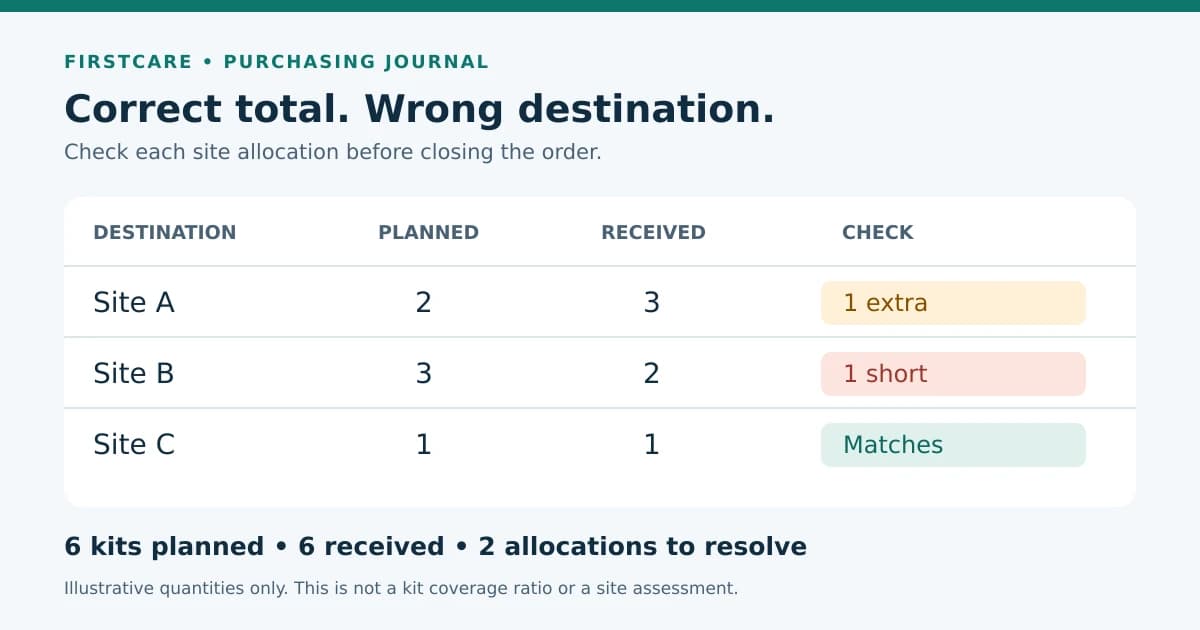
Illustrative allocation only: an order assigns six identical kits between three anonymous sites. The delivered total is also six, but the distribution is wrong. These numbers are not recommended quantities or a first aid coverage ratio.
- Keep the Site B shortfall open even though the overall order quantity has arrived.
- Have the responsible teams agree how the extra kit will be reassigned or the shortfall supplied, and record the receiving evidence.
- Do not silently change the approved station plan to make the paperwork match the delivery.
| Site | Kits: planned → received | Check |
|---|---|---|
| A | 2 → 3 | 1 extra |
| B | 3 → 2 | 1 short |
| C | 1 → 1 | Matches |
| All sites | 6 → 6 | Total matches; allocation does not |
Use the free delivery allocation worksheet
Download the blank CSV from the related resources below and open it in your spreadsheet application. Keep one row per allocation ID for the whole order. The template is manual: it contains no formulas, sample stock, recommended quantities or automatic checks.
Enter the planned quantity once. Update dispatched_to_date and accepted_at_destination_to_date as cumulative totals from dated delivery records; do not create another copy of the planned quantity for each partial shipment. Keep the underlying receipts and carton-level packing lists in the order file, and list their references in the worksheet.
Use outstanding_quantity for planned minus accepted at the intended destination. A positive result is a shortfall; a negative result is an excess requiring review. This field must be calculated manually. If quantities are rejected, returned or reassigned, reconcile the cumulative figures against the documented movement before saving a new revision.
Record damage, a wrong model or missing documents under open_difference_and_action, even when the quantity is correct. A quantity check alone does not close a specification issue. Use last_checked_at and checked_by to identify the review.
Keep warehouse receipt separate from site acceptance
If the supplier delivers to a central warehouse, acknowledge that delivery in the warehouse record. Do not mark a branch allocation accepted until the goods reach its intended destination and the assigned person has checked them.
Ask the supplier or dispatch team to identify each carton on the packing list and show the allocation IDs and quantities it contains. If a carton holds several lines, preserve that detail rather than treating one carton as one kit. When the warehouse repacks goods, record the new carton references against the same allocations.
At each site, compare the delivered model and contents with the approved revision, check condition and agreed remaining shelf life, and record unresolved differences. Have the responsible team confirm station readiness separately; a delivery receipt does not establish that installation, stocking and handover are complete.
Confirm shipment documents for each GCC destination
FedEx describes a packing list as a record of the goods and their packing, and says document requirements depend on the destination. Its general carrier guidance does not establish the requirements for a particular first aid shipment to a GCC country.
Ask the carrier and the party responsible for import arrangements to confirm the documents for the actual contents and destination before dispatch. Align the order, commercial invoice and shipment packing list where required.
The downloadable worksheet is an internal allocation aid. It is not a commercial invoice, customs declaration, complete carrier packing list or approval to import products. Keep country and site requirements separate when an order covers the UAE, Saudi Arabia, Qatar, Oman, Bahrain or Kuwait.
Common questions
Can one bulk order cover several branches?
Yes, an order can identify several destinations, subject to the supplier’s confirmed fulfilment terms. Keep each site’s approved specification, allocation and delivery arrangements separate so the overall quantity does not conceal local shortages.
How should partial deliveries be recorded?
Keep one planned quantity per allocation ID and update cumulative dispatched and accepted quantities from dated records. Reference every shipment and carton; avoid repeating the planned total as a new allocation each time a delivery arrives.
Does the worksheet replace a shipment packing list?
No. It tracks internal allocation and acceptance. The carrier and responsible import party must confirm the shipment documents for the actual products and destination.
Related guides and equipment
Prepared with AI assistance. Procurement information, not clinical instructions or an approval certificate. Requirements depend on the applicable authority and your workplace. Sources, corrections and editorial policy.